





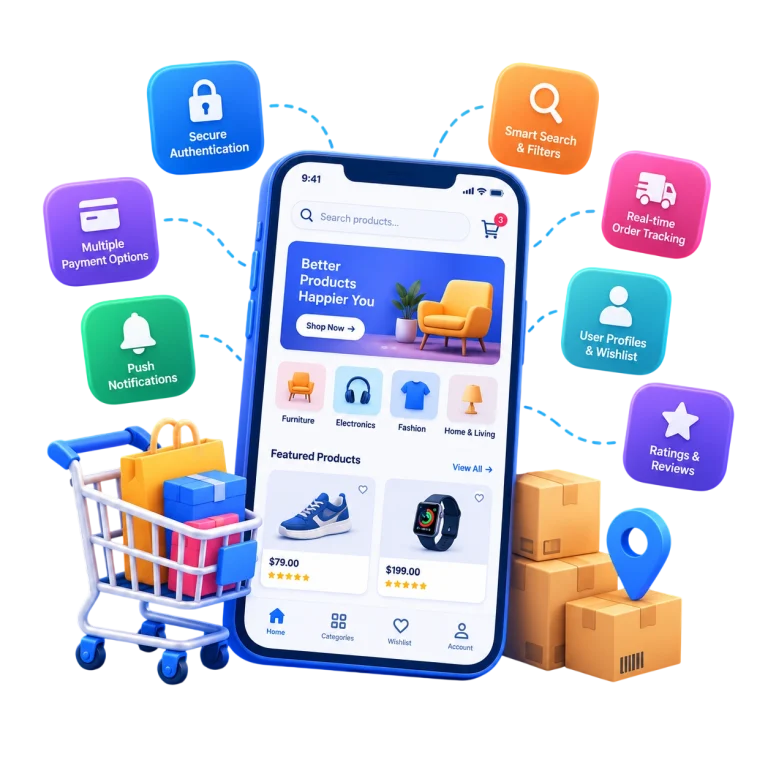
Mobile users have little patience for slow, confusing, or unreliable experiences. An app may look polished, but if customers struggle to search, sign in, complete checkout, or access accurate product information, they have little reason to keep using it. What separates the apps people open every single day from the ones that quietly disappear from a phone’s home screen? The answer rarely comes down to visual design alone. It comes down to the underlying mobile app development features that shape how an app actually behaves: how fast it loads, how easily people find what they need, and how safe they feel using it. Businesses that understand these essential functionalities build apps that become part of a user’s routine, while those that overlook them compete for attention they never win. This article covers the practical building blocks behind successful mobile apps — user experience, performance, security, the shopping experience, API connectivity, and customer engagement.
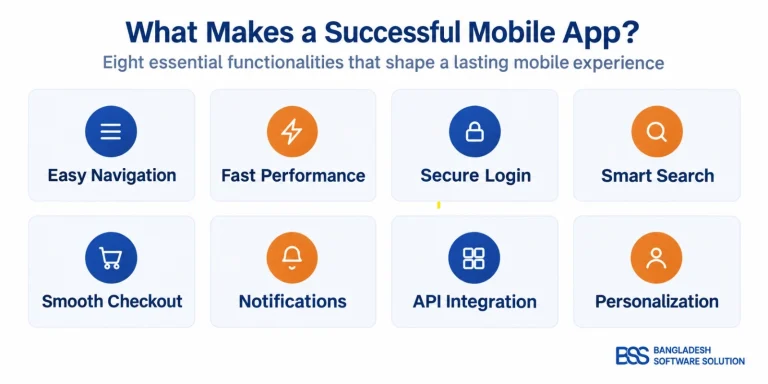
Table 1: Essential ecommerce mobile app features and how they improve the customer experience.
| Essential feature | Why it matters |
|---|---|
Fast navigation | Reduces friction |
Smart search & filters | Improves product discovery |
Secure accounts | Protects customer information |
Cart & checkout | Simplifies purchasing |
Push notifications | Supports engagement |
REST API integration | Keeps store data synchronized |
Personalization | Creates more relevant experience |
Analytics & monitoring | Supports continuous improvement |
1. Fast Performance and User-Friendly Mobile Navigation
Speed is one of the first things users notice. Slow loading, delayed interactions, or laggy screen transitions can quickly frustrate users, even when the app itself offers valuable content. A strong mobile app user experience depends on smooth navigation, predictable menus, responsive screens, and layouts that adapt well across different device sizes. For ecommerce apps, performance also affects product discovery — customers should be able to find what they need quickly without moving through unnecessary categories or steps. When these elements work well together, the experience feels simple, fast, and intuitive.
Key Lesson
Users do not remember how complex your technology is. They remember how easy the experience feels.
2. Smart Search and Filtering
Search is where shopping intent turns into a sale, which makes it one of the most important shopping app features an ecommerce app can offer. Customers rarely want to scroll through an entire catalog; they want to narrow results quickly using categories, brands, price range, and specific product attributes. The right filters depend on what’s being sold. Someone browsing laptops usually wants to filter by processor, RAM, and storage. Someone comparing smartphones cares more about camera quality, battery life, and display size. A search experience that understands these differences feels tailored, even when it runs on the same underlying logic across categories.
3. Secure Login, Guest Checkout and Customer Accounts
Trust is earned quietly, through details users don’t consciously notice unless something goes wrong. Secure authentication is the foundation of mobile application security, but the account experience built on top of it matters just as much: customer profiles, saved addresses, order history, and wishlists all reduce friction for returning users. Every field a customer doesn’t have to re-enter is one less reason to abandon the app. The challenge is balancing convenience with protection — a login process that’s too complicated pushes people away, while one that’s too loose puts customer data at risk.
At the same time, not every shopper wants to create an account, so offering guest checkout gives customers a faster way to complete a purchase without registration. The goal is to balance convenience with protection — making login and checkout simple while keeping customer data secure.
Good to Remember
Convenience and security must work together. A simple login experience should never compromise customer protection.
4. Smooth Cart and Checkout Experience
Checkout is where many ecommerce apps lose customers. A long process, repeated manual data entry, or limited payment choices can make shoppers abandon a purchase. A well-built mobile commerce experience keeps cart management simple and supports flexible options such as digital wallets, cards, local payment methods, coupons, shipping options, and guest checkout. The goal is to help customers review their order, choose how they want to pay and receive it, and complete the purchase with as few unnecessary steps as possible.
Table 2: From Difficult to Better: Key Ecommerce Checkout Experience Improvements
| Difficult Experience | Better Experience |
|---|---|
Long checkout process | Quick checkout flow |
Manual data entry | Saved customer details |
Limited payment options | Multiple payment choices |
Forced account creation | Guest checkout option |
5. Push Notifications and Order Updates
Notifications can strengthen an app relationship or damage it, depending on how they’re used. The goal is to inform, not interrupt: order updates, delivery tracking, back-in-stock alerts, and personalized offers give customers a reason to open the app again. Generic or overly frequent notifications, by contrast, are one of the fastest ways to get an app deleted.
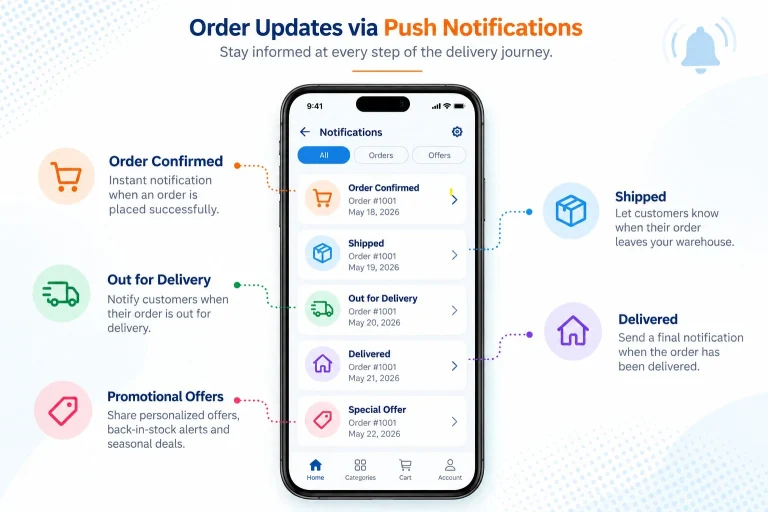
Combine tracking with notifications:
Order confirmed → Shipped → Out for delivery → Delivered
6. REST API Integration for Ecommerce Mobile Apps
None of these app capabilities work in isolation — they depend on a mobile app development process that connects the app to the business systems running behind it. This is where API integration becomes essential. In simple terms, a mobile app needs constant communication with backend systems: it sends and receives information through an API layer, which connects to the ecommerce platform and its database.
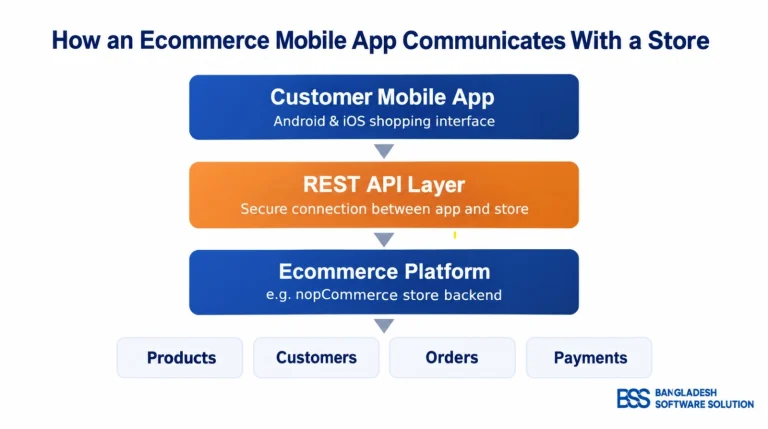
This connection is what keeps product details, customer accounts, order status, and inventory levels accurate across every channel a business sells through. Without reliable REST API integration, an app either shows outdated information or requires constant manual updates — neither of which scales as a business grows.
7. Mobile App Personalization and Customer Engagement
Modern shoppers expect an app to recognize them, even in small ways. Recently viewed products, relevant recommendations, and saved preferences make a mobile commerce experience feel less like a generic storefront and more like a service built around the individual customer. This comes from tracking how customers already behave within the app and using that data to shape what they see next.
8. Performance and Continuous Improvement
Launching a successful mobile app is not a one-time project. Long-term performance depends on analytics, user behavior tracking, and ongoing performance monitoring that reveal where people drop off or get frustrated. Businesses that treat feature improvement as a continuous process, rather than something finished at launch, are the ones whose apps stay relevant years later.
Website Experience vs. Mobile App Experience
| Website | Mobile App |
|---|---|
Browser dependent | Direct access |
Generic experience | Personalized experience |
Manual engagement | Push notifications |
Limited offline interaction | App-based convenience |
Bringing These Features to an Existing Online Store
Many businesses already run a functioning ecommerce platform but want to extend that experience into a dedicated mobile app. Doing this properly involves more than designing screens — it requires a mobile app interface connected to a backend API, secure authentication, product integration, cart and checkout connectivity, and order management that stays in sync with the main store.
For businesses running on nopCommerce, this connection is typically handled through a dedicated ecommerce app development solution rather than building the integration from scratch. Solutions such as the BSS nopCommerce Mobile App with REST API link an existing nopCommerce store with Android and iOS applications through an integrated API layer, applying many of the features discussed above — search, secure accounts, checkout, notifications, and data synchronization.
Not sure if your ecommerce platform is ready for a mobile app?
Every ecommerce setup is different. If you are unsure whether your existing platform can support mobile app integration, REST APIs, synchronized products, checkout, and order management, our experts can help you assess it.
Contact Bangladesh Software Solution experts to discuss whether your ecommerce platform is suitable for a connected Android and iOS app.
Frequently Asked Questions
What are the most important features of an ecommerce mobile app?
Fast performance, easy navigation, smart search, secure login, smooth checkout, multiple payment options, push notifications, personalization, and reliable API integration.
Why does a mobile app need REST API integration?
REST API integration connects the mobile app with the ecommerce backend, keeping products, inventory, customer accounts, orders, and other store data synchronized.
Should an ecommerce app offer guest checkout?
Yes. Guest checkout can reduce friction by allowing customers to complete purchases without creating an account.
Can an existing ecommerce website be connected to a mobile app?
Yes. An existing ecommerce store can connect to Android and iOS apps through APIs that synchronize products, customers, carts, orders, and other store data.
Final Thoughts
Successful mobile apps rarely succeed because of one standout feature. They succeed because speed, security, search, checkout, notifications, and backend connectivity all work together as a coherent mobile experience improvement. Understanding how these pieces fit together is the first step toward building — or choosing — an app that customers actually keep.